
Desktop app
First launch
Activate the AgentKit Desktop app, understand its session boundary, and complete the local setup workflow.
After this page, Desktop will be activated for this device and you will know which first-run steps change local AgentKit or coding-assistant state.
Activate this device
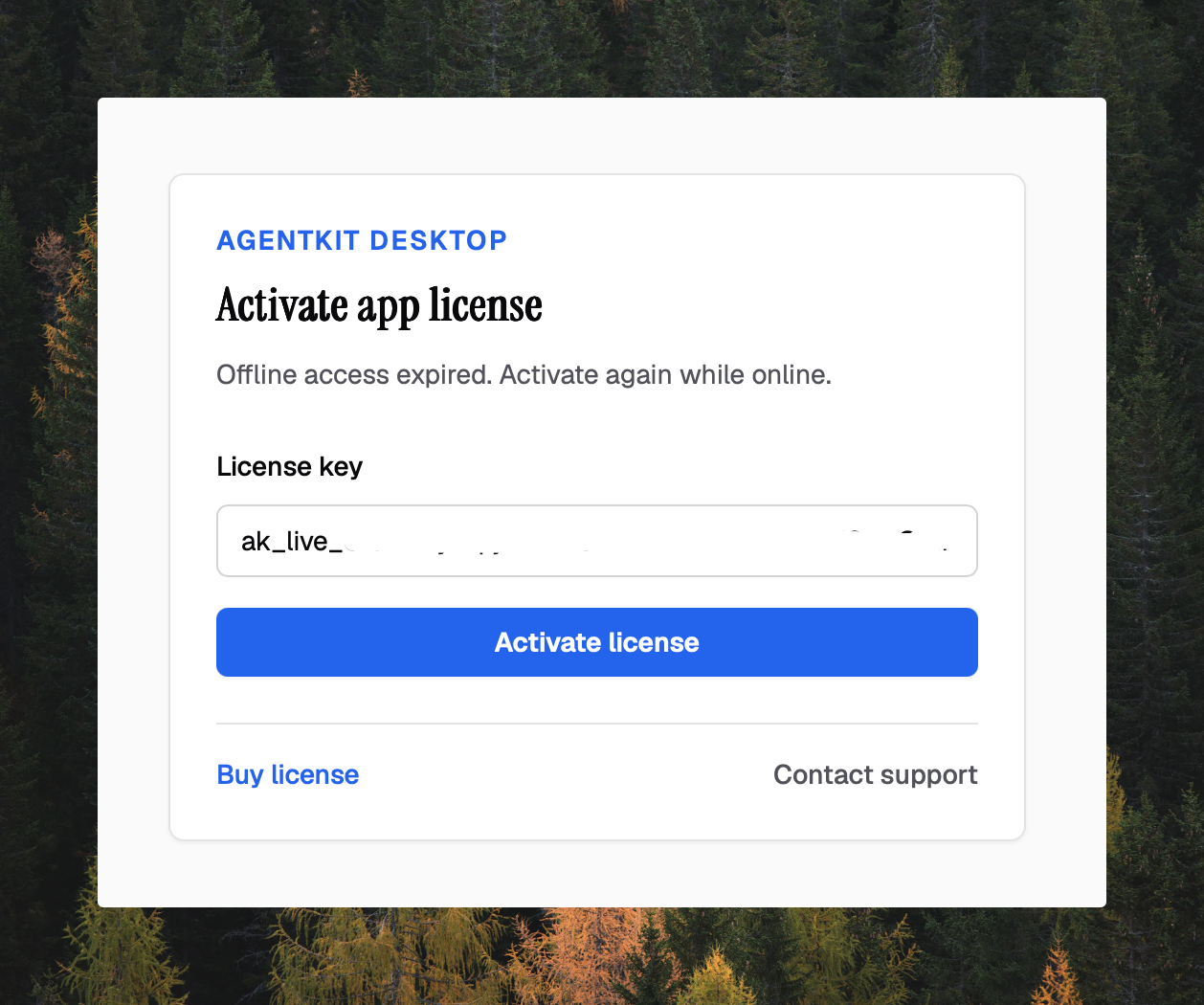
Open the verified Desktop package and enter an App license key beginning with
ak_live_. The first activation needs network access. Desktop must verify an
App session before it opens the main interface; a CLI or coding-assistant login
does not unlock it.
| Session | What it unlocks | Sign-out boundary |
|---|---|---|
| Desktop App license | Desktop and entitled Kit catalog actions on this device | Profile → Sign out removes only the local App session |
| AgentKit CLI login | Authenticated CLI commands | ak logout removes only the CLI session |
| Coding-assistant or provider login | That runtime or provider | Managed by that assistant or provider |
The App and CLI slots are stored separately in
$AGENTKIT_HOME/auth/session.json. The default AgentKit home is ~/.agentkit
on macOS and Linux and %USERPROFILE%\.agentkit on Windows. The session file is
protected with owner-only permissions where the operating system supports
them; it is not a reason to share the file or license key.
While online, Desktop rechecks the App session in the background about every six hours, so an active device stays signed in. After the last successful check, Desktop allows up to 72 hours of offline use; a network failure keeps that grace period, while a definitive rejection such as a revoked device or an inactive license locks the app. When the grace period expires, reconnect and verify the license again.
Activating again on the same device reuses its existing seat. When a
single-seat license is already active on another device, Desktop moves the
license to this device automatically; on a multi-seat license that is full,
Desktop offers Move the license to this device. Desktop then names the
device the license moved from. ak login --license-key never moves a seat. Signing out in Desktop clears local App credentials; it does not revoke
the license remotely or sign the CLI out.
Complete onboarding
Desktop scans the local setup for supported coding agents, registered projects, installed and entitled Kits, configuration, health, licenses, and updates. Review the results before applying changes.
The scan also reports Node.js dependency readiness. If Node.js is missing,
Desktop shows an installation hint and an explicit Node.js LTS installation
action. Selecting that action grants consent to install through a detected
supported package manager; Desktop then resolves Node.js again and checks the
version against the 20.11 minimum. Without a supported manager, follow the
manual hint. Non-interactive mode does not grant consent; CLI or CI callers must
set AK_AUTO_INSTALL_NODE=1 explicitly to authorize automatic installation.
The optional Kit step installs only the Kits you select, globally for the detected coding agents, from the Kit catalog used by Desktop v2.19.0. You can skip it when you do not have a matching runtime or entitlement. After installation, restart the coding assistant or open a new runtime session before using the new skills. Other Kit content can still be installed while Node.js is missing, but Node-backed Hooks and status lines require it. After Node.js is ready, rerun the affected Kit install or refresh action.
Desktop v2.19.0 does not start a Kit skill or agent run. Launch the installed skill from its coding assistant, or use the appropriate CLI workflow.
Use the main workflows
| Area | Supported work | Important boundary |
|---|---|---|
| Kits and skills | Browse entitlements, inspect skills, install Kits, preview and apply supported Kit updates | Kit removal is a CLI workflow; preview it before confirming with --yes |
| Projects | Register a local project and inspect its Kit state | Removing a project removes its AgentKit registry entry, not the project directory |
| Activity | Follow local AgentKit activity while the window is open | The source is $AGENTKIT_HOME/activity/events.ndjson |
| Sessions | Inspect supported Claude Code and Codex session evidence | Desktop is an inspector, not a session launcher |
| MCP | List and verify servers, and preview supported configuration changes before applying them | Review the preview because the target runtime configuration can change |
| Config and stores | Edit AgentKit settings, inspect effective values, and locate local stores | Secret values are masked in Desktop; do not copy raw config or session files into reports |
For a screen-by-screen walkthrough of these surfaces, see Interface overview, Managing entities, Projects and plans, and Settings and system.
Understand the local process
Desktop embeds its interface and calls its Go backend in-process. It does not start the browser dashboard, bind an HTTP port, or write dashboard server state. Closing the window stops Desktop APIs, Activity streaming, session indexing, and the local analytics reconciler.
The browser dashboard is separate. ak config start serves it on loopback
127.0.0.1:8766 by default. The API server is also separate and defaults to
127.0.0.1:8765 when started with ak api start.
Know what stays local and what uses the network
Desktop reads AgentKit state such as config.yaml, projects.json,
activity/events.ndjson, and the local analytics/analytics.db index under
the AgentKit home. The index can reconcile supported Claude Code and Codex
session sources while the window is open. Interface preferences and onboarding
progress are local Desktop state; authentication remains in the protected
AgentKit session file.
Network access depends on the action:
- App activation, entitlement checks, and Kit catalog actions contact AgentKit services;
- Update checks, changelog, and announcements contact the release service;
- Feedback is sent only when you submit it; and
- The Your reports list on Feedback reads each filed report's issue state from the public GitHub API, without authentication.
Never include a license key, session file, unmasked config value, or private session content in feedback or diagnostics. Next, review signed Desktop updates or go to troubleshooting.